

FieldFlow
One system from lead to payment.
A custom field-operations concept showing how contractors can replace spreadsheets, manual scheduling and disconnected systems with software built around their workflow.
FieldFlow is a fictional product concept created by PiTech Consultants to demonstrate custom software and business automation capabilities. It is set in Palmetto Ridge Mechanical, an invented HVAC, electrical and plumbing contractor in Tampa Bay. It is not client work, and no client results are implied.
The problem
Picture a contractor running six trucks across HVAC, electrical and plumbing work. A request arrives by phone or email and is written into a spreadsheet. The estimate is built in a separate tool, saved as a PDF and emailed — and then chased by phone, because nobody can see whether the customer opened it.
Once it is approved, the job goes onto a scheduling spreadsheet and the technician gets the address by text. Photos of the work stay on the technician’s phone. The paper work order comes back at the end of the week, and someone in the office re-types it into an invoice. Customers ring to ask when the technician will arrive, and the answer depends on who picks up.
None of this is unusual — it is how a lot of capable businesses run. The cost is in the hand-offs: every one is a place where information is copied, delayed or lost.
Before and after
Eight hand-offs, most of them by hand
- Lead emailed to the office
- Email copied into a row
- Spreadsheet estimate built elsewhere
- Estimate PDF approval chased by phone
- Scheduling spreadsheet address sent by text
- Text to technician photos stay on the phone
- Photos on a phone work order re-typed
- Manual invoice
One system
- Lead
- Estimate
- Approval
- Schedule
- Dispatch
- Job
- Documentation
- Invoice
- Payment
- Online approvals
- Field photos
- Dashboard
- Reports
- Entered once
- Status visible to everyone
- Invoices from the job record
- A timeline nobody has to write
What we built
Executive dashboard
Today’s jobs, the pipeline from request to payment, money outstanding and the handful of things that need a decision — on one screen.
Job management
Every job carries its status, checklist, materials, notes, photos, documents and a timeline that records itself.
Scheduling and dispatch
A weekly and daily board by technician. Unassigned requests are booked into the next open slot in one action.
Customer records
Properties, equipment on file, access notes, open work, service history, estimates and invoices, together.
Estimate workflow
Proposals with line items, tax and terms; sent, viewed, approved and signed, then converted to a job without re-typing.
Invoices and payments
Completing a job creates its invoice. Balances, partial payments, overdue follow-up and payment history stay attached.
Technician management
Who is on site, en route or behind schedule, each technician’s week, and their certifications and vehicle.
Operational reporting
Revenue, jobs completed, average job value, estimate conversion, receivables and workload, calculated from the job records.
Inside the demo
Six screens that carry the workflow. Select one to open it in the interactive demo.
-
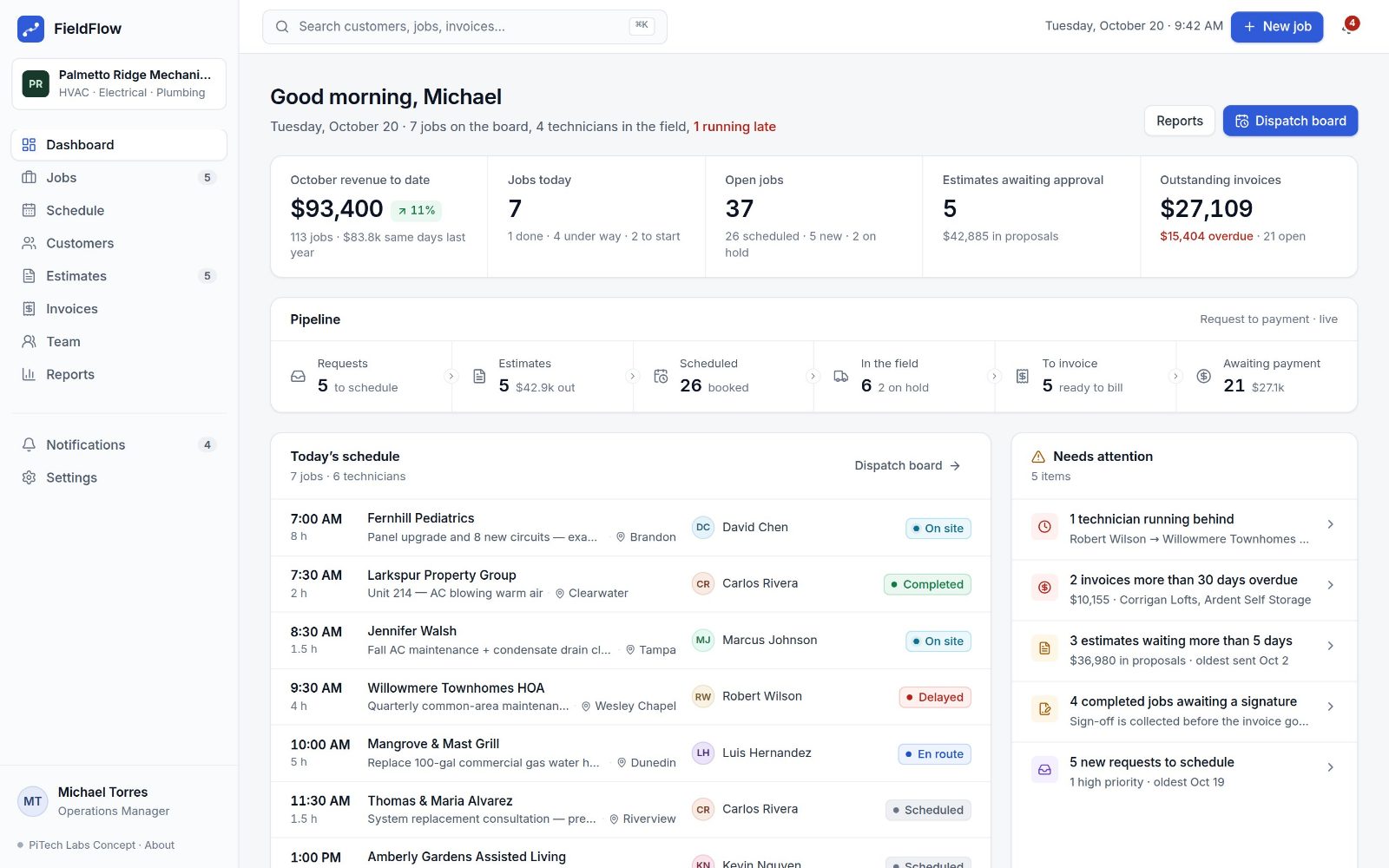 Executive dashboard Today’s board, the pipeline from request to payment, and what needs attention.
 -
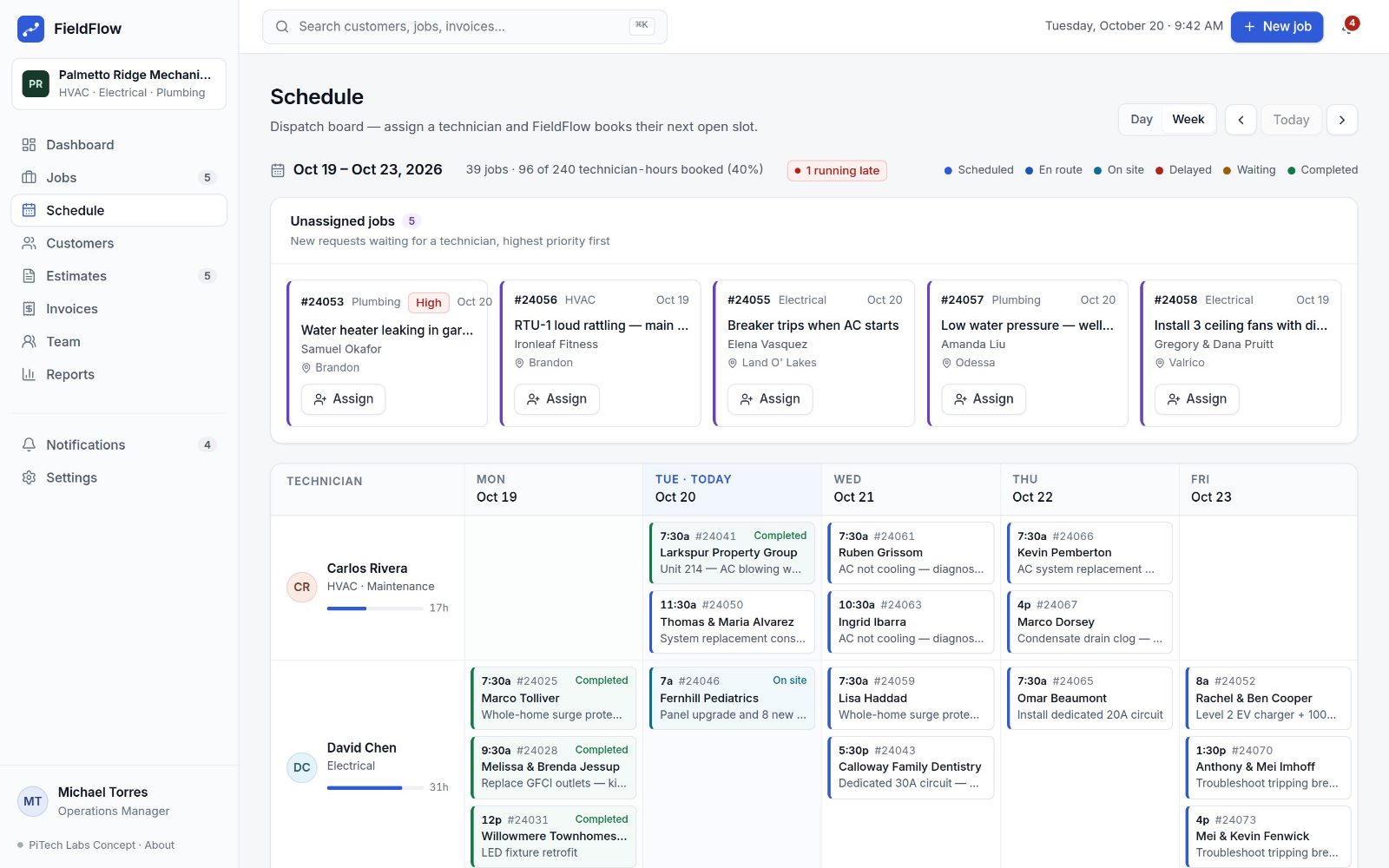 Weekly dispatch Every technician’s week, with unassigned requests booked into the next open slot.
 -
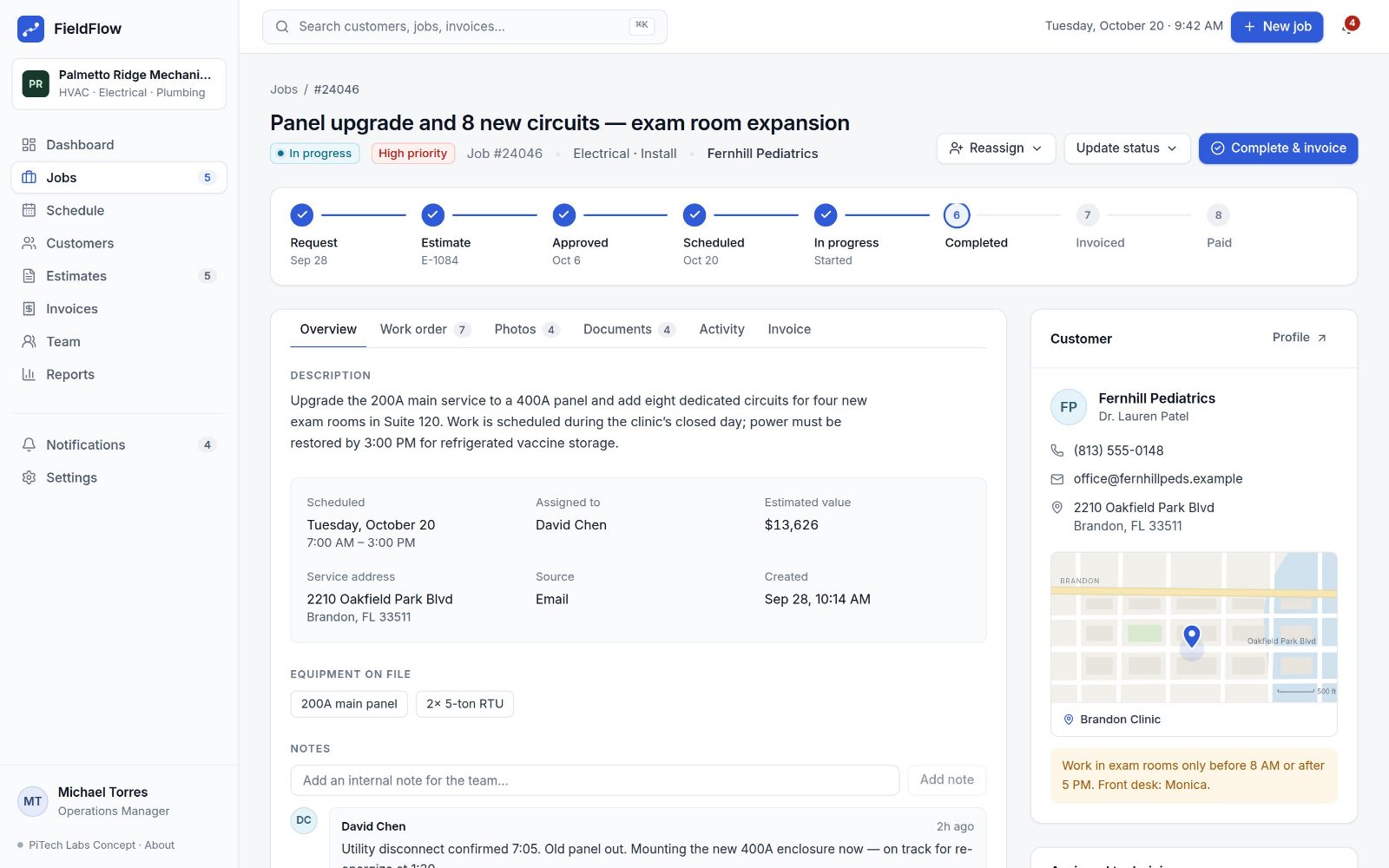 Job detail One job from request to payment: work order, photos, documents and timeline.
 -
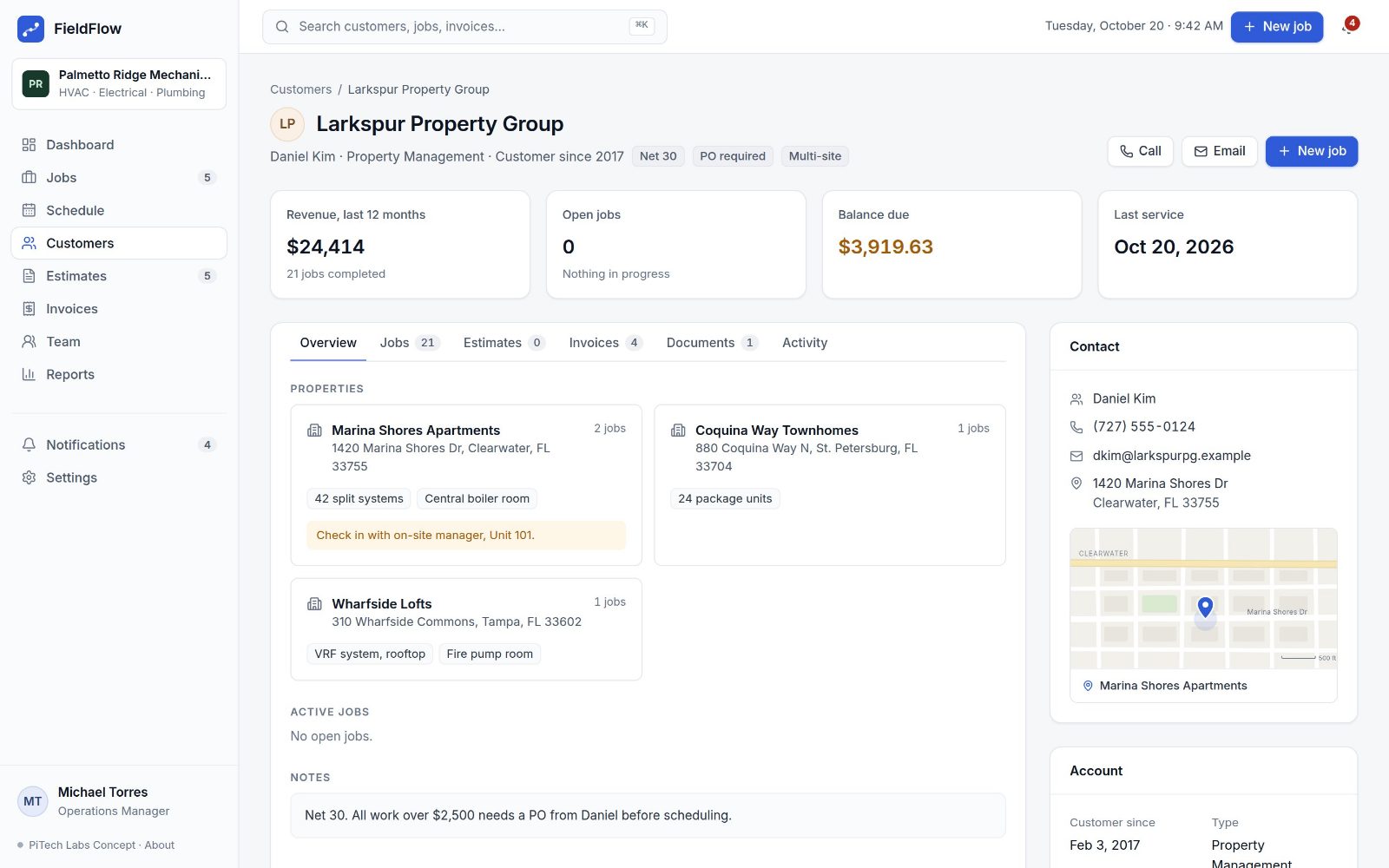 Customer record Properties, equipment, open work, history, estimates and invoices in one place.
 -
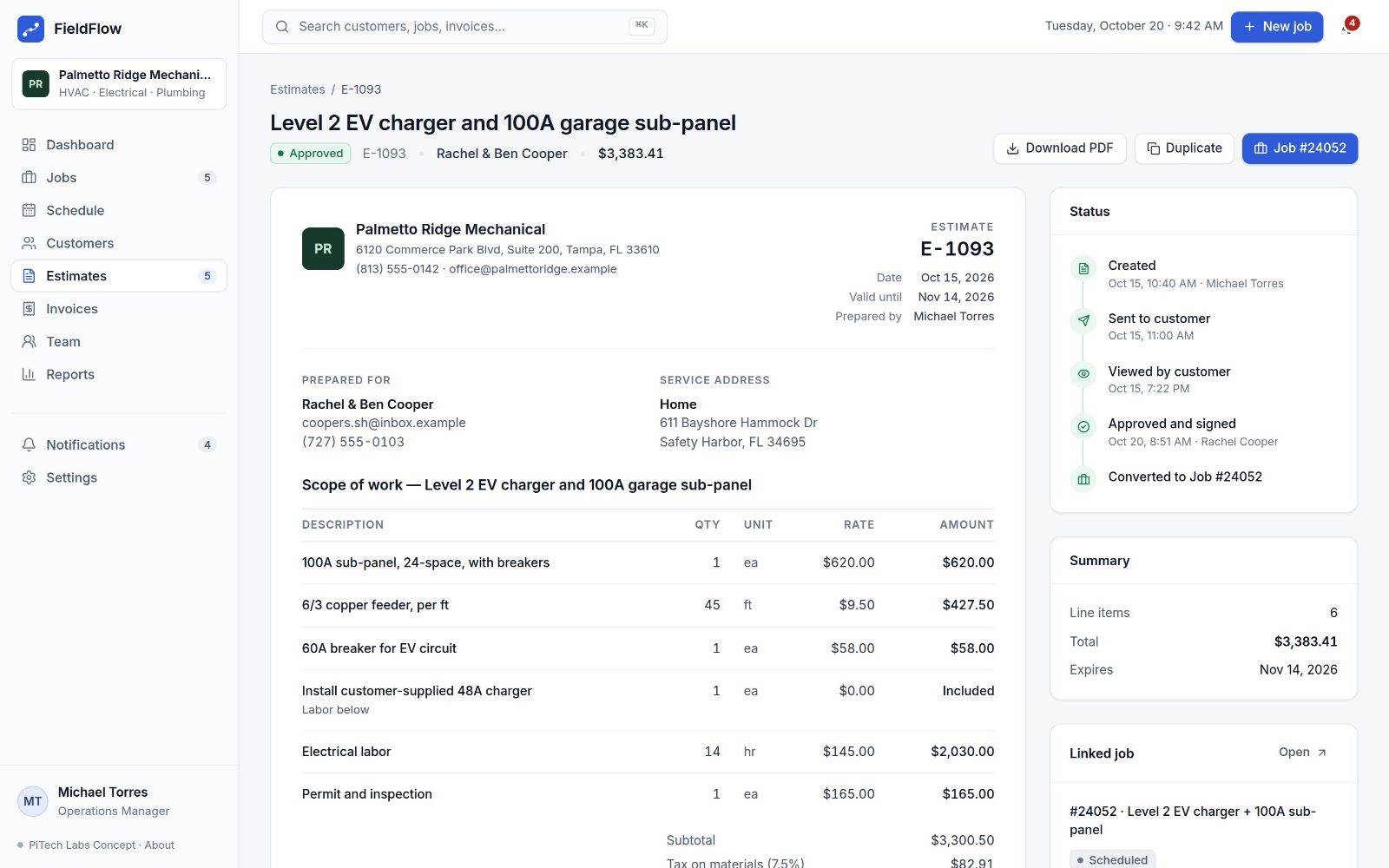 Estimate A proposal the customer approves online, converted to a job in one click.
 -
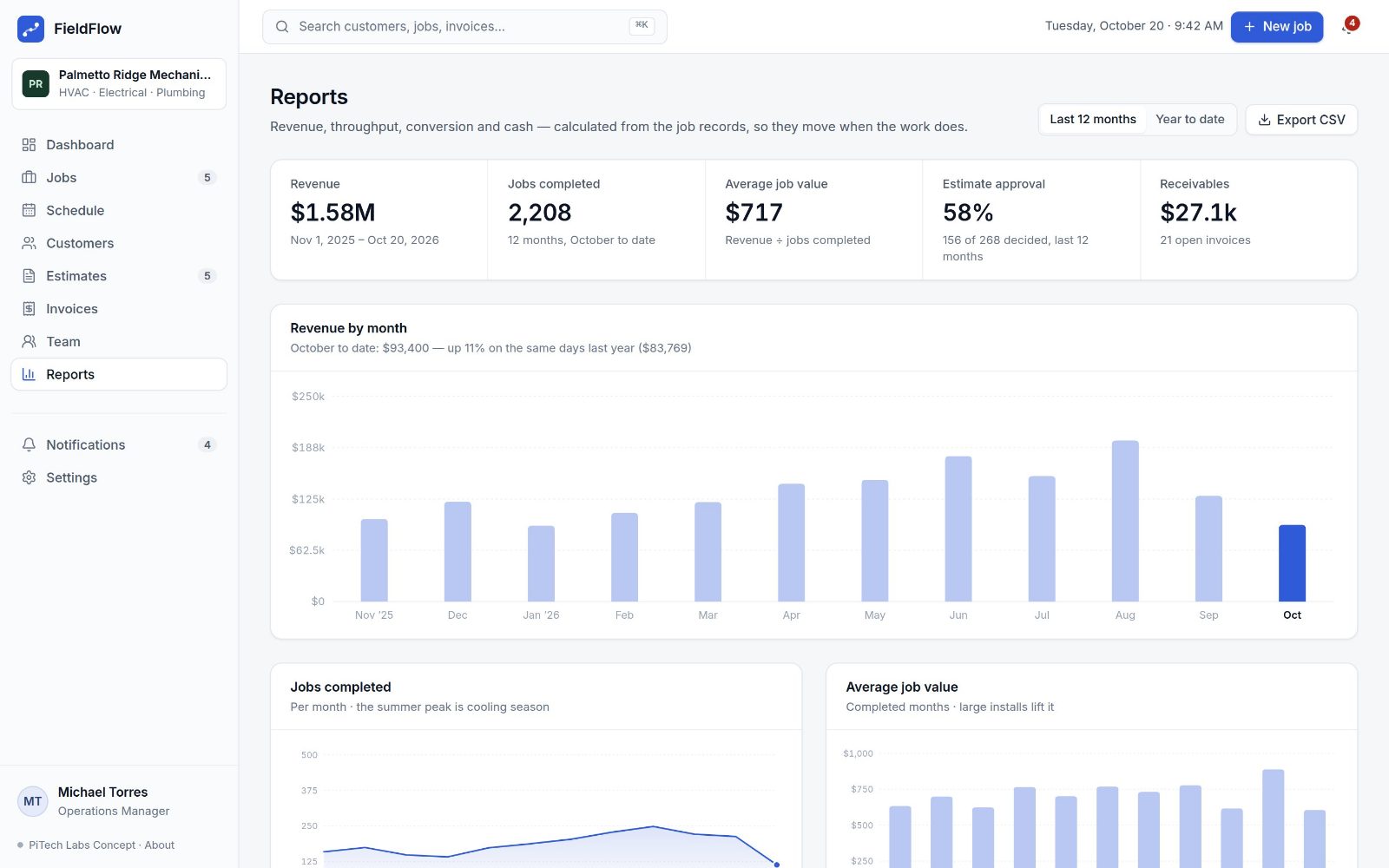 Reports Revenue, throughput, conversion and cash, calculated from the job records.
Why it matters
Less duplicate entry
A customer’s details, an estimate’s line items and a job’s scope are entered once and carried forward.
Better operational visibility
Where every job stands is on one screen, not in someone’s head or inbox.
Fewer disconnected systems
Scheduling, job records, estimates and invoices stop living in separate tools that disagree.
Faster customer communication
Approvals, arrival updates and invoices go out from the record that already holds the details.
Clear ownership
Every change is recorded with who made it and when, so nothing falls between two people.
Centralised documentation
Photos, signed estimates, permits and notes attach to the job, not to a technician’s phone.
About the demo
- Everything in it is invented: the company, its staff and customers, addresses, figures and history.
- It runs on a fixed date — Tuesday, October 20, 2026 — so it always opens on the same busy morning.
- Changes you make (assigning a job, approving an estimate, marking an invoice paid) are kept only in your browser, and Settings resets them.
- Email, calls and outside integrations are shown, not sent. Nothing you do leaves the page.
Your business doesn’t need FieldFlow.
It needs software built around the way your business actually works. Tell us what’s not working, and we’ll tell you plainly whether custom software is the answer.
You’ll hear directly from PiTech, typically the same business day.